Choosing a laptop for college isn’t about finding the most powerful machine on the market. It is about finding the right balance between price, performance, battery life, and portability. As you join college in 2026, the best laptop is the one that can handle classes, assignments, browsing, projects, and entertainment without becoming a physical burden to carry around campus or a financial strain to maintain.
1. The Real Student Dilemma
Most college students fall into one of two traps: they either overspend on a high-end machine with features they will never use, or they buy a cheap, underpowered laptop that begins to lag by the end of their first semester.
A student laptop needs to be a reliable partner for at least 3 to 5 years. It should be light enough to slip into a backpack, fast enough to handle sudden multi-tab research assignments, and durable enough to survive regular travel.
2. What Students Actually Need
Before looking at specifications, match the machine to your daily routine:
- Online Classes & Notes: Requires a clear webcam, crisp microphone, and a comfortable keyboard for typing out long lectures.
- Assignments & Research: Needs enough processing power to handle multiple PDFs, dozens of Google Chrome tabs, and MS Office smoothly.
- Coding & Software Development: Demands faster compiling speeds, a robust processor, and comfortable screen real estate to read code.
- Entertainment: A vibrant Full HD display and decent audio for winding down with movies or casual gaming after college hours.
3. How to Choose by Student Type (With Real Price Comparisons)
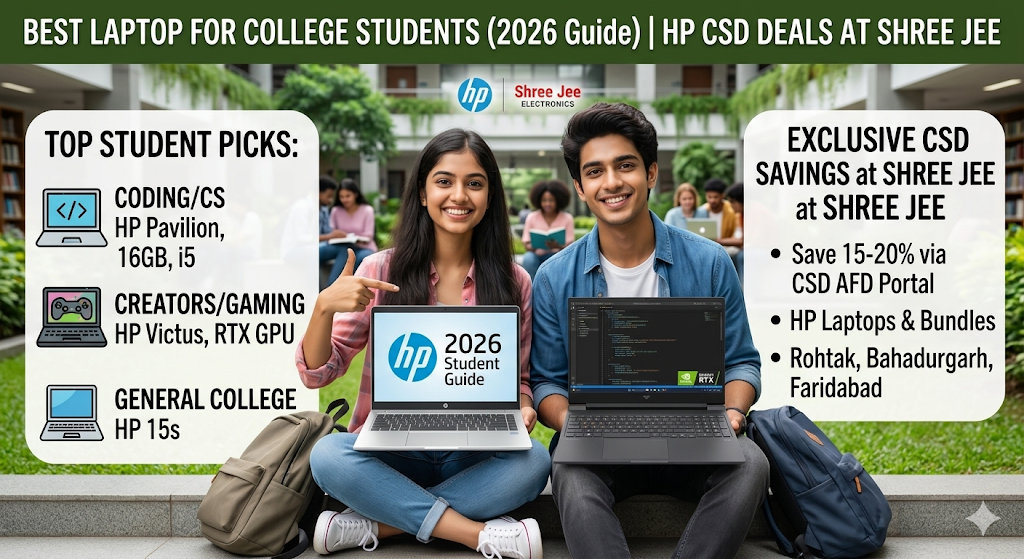
If you are a defense professional, veteran, or dependent, you don’t have to pay premium online retail prices on Amazon or Flipkart. By using your card at Shree Jee Electronics (Rohtak, Bahadurgarh, and Faridabad), you can tap into direct CSD (Canteen Stores Department) pricing on top-tier HP laptops.
Let’s look at exactly what you save based on the latest inventory:
The Generalist & Content Writers (Commerce, Arts, Management)
If your daily workload consists of presentations, heavy documentation, blog writing, or Excel spreadsheets, focus heavily on battery life, portability, and an excellent typing experience. This category represents the best laptops for writers and general students.
- The Budget Entry Option: HP 15 (15-fc0411AU)
- Specs: Ryzen 3-7320U, 8GB RAM, 512GB SSD, AMD Radeon Graphics, Windows 11 + MS Office 2024.
- Online Retail Price (MRP): ~₹38,723
- Shree Jee CSD Price: ₹32,499 (Save ₹6,224!)
- Exclusive CSD Perks at Shree Jee: Free 1-year additional warranty, Free Education Bundle worth ₹10,000, and HP 150 Earbuds @ just ₹299!
The Solid Multitasker: HP 15 (15-fd0533TU)
Exclusive CSD Perks at Shree Jee: VIP Trolley bag @ ₹699, Free 1-year additional warranty, Free Education Bundle worth ₹10,000, and HP 150 Earbuds @ ₹299.
Specs: Intel 13th Gen i3-1315U, 8GB RAM, 512GB SSD, 15.6″ FHD Narrow Border.
Online Retail Price (MRP): ~₹49,631
Shree Jee CSD Price: ₹36,999 (Save ₹12,632!)
The Coder (Computer Science, B.Tech & IT)
Programming requires a processor that won’t freeze when running local servers, compilers, Docker, or IDEs, combined with a comfortable keyboard and a high-quality display.
- The Ultimate Coding Compact: HP 14 (14-ep0342TU)
- Specs: Intel i5-1335U, 16GB RAM, 512GB SSD, 14″ FHD LED Display, Backlit KBD.
- Online Retail Price (MRP): ~₹67,811
- Shree Jee CSD Price: ₹55,499 (Save ₹12,312!)
- Exclusive CSD Perks at Shree Jee: VIP Trolley bag @ ₹699, Free 1-year additional warranty, Free Education Bundle worth ₹10,000.
- The Premium Professional: HP Pavilion Plus (14-ew1082TU)
- Specs: Intel Core Ultra 5 125H, 16GB LPDDR5 RAM, 512GB SSD, Intel Arc Graphics, 14-inch WQXGA (2560 x 1600) 48-120Hz IPS Display.
- Online Retail Price (MRP): ~₹1,07,438
- Shree Jee CSD Price: ₹80,500 (Save an incredible ₹26,938!)
The Creator, Video Editor & Gamer
If your course involves rendering timelines or if you like to play competitive games like GTA V, Valorant, or Forza Horizon, integrated graphics won’t cut it. You need a dedicated GPU with massive cooling vents. These units double as the best laptops for video editing and the best cheap gaming laptops when bought through the right channels.
- The Casual Gamer/Editor: HP Gaming Victus 15 (15-fa2703TX)
- Specs: Core i5-13420H, Upgradeable 16GB DDR4 RAM, Upgradeable 512GB SSD, RTX 2050 4GB, 15.6″ FHD (1920×1080) 144Hz Display.
- Online Retail Price (MRP): ~₹77,567
- Shree Jee CSD Price: ₹61,999 (Save ₹15,568!)
- Exclusive CSD Perks at Shree Jee: VIP Trolley bag @ ₹699, Free 2-year additional warranty, Free Education Bundle worth ₹10,000, and HP 150 Earbuds @ ₹299.
- The Hardcore Performance Variant: HP Gaming Victus 15 (15-fa2700TX)
- Specs: Core i5-13420H, Upgradeable 16GB RAM, Upgradeable 512GB SSD, RTX 3050 6GB, Xbox Game Pass 3M included.
- Online Retail Price (MRP): ~₹79,686
- Shree Jee CSD Price: ₹68,999 (Save ₹10,687!)
4. Key Specs to Check Before Buying (Your Laptop Buying Guide)
- Processor: Stick to Intel Core i3 or Ryzen 3 for basic notes. Opt for Intel Core i5 / Core Ultra 5 or Ryzen 7 if you code or edit video.
- RAM: 16GB is the ideal sweet spot. Ensure it is upgradeable rather than soldered to the motherboard.
- Storage: Demand an NVMe SSD. Traditional hard drives (HDDs) will severely slow down your machine.
- Battery Life & Portability: Keep the weight under 1.75 kg if you travel daily by bus or metro, unless you require a heavy-duty gaming machine like the HP Victus.
5. Mistakes Students Should Avoid & Quick Maintenance Hacks
- Buying for the Brand Name Alone: Don’t buy an overpriced laptop just for a logo. Look at the specific components inside.
- Ignoring the Upgradability: Always verify how to install memory in a laptop before checking out. Buying an HP Victus with an open slot means you can easily expand your memory as your software requirements grow.
- Forgetting Port Selection: Ensure you have an HDMI port. When studying at your desk, knowing how to connect an external monitor to a laptop can double your workspace efficiency by letting you reference research on one screen while typing on the other.
Student Troubleshooting Corner
How to fix a slow laptop? > If your current machine is lagging, check your background tasks via Task Manager (
Ctrl + Shift + Esc). Upgrading from an old mechanical hard drive to a modern solid-state drive (SSD) can instantly breathe new life into an older system.How to stop laptop fan noise? > Heavy engineering projects and gaming cause internal components to warm up quickly. Always use your laptop on a flat surface (not on a bed or a lap blanket) to keep air vents completely clear. You can also adjust performance profiles inside the OMEN Gaming Hub software to reduce fan speeds instantly during quiet library study sessions.
6. Final Verdict: Why Online Shopping Can’t Match Shree Jee Electronics
While browsing e-commerce platforms might feel convenient, buying an HP laptop through Shree Jee Electronics via the CSD AFD portal offers distinct advantages:
- Unbeatable Pricing: You are saving anywhere from ₹6,000 to ₹26,000+ compared to standard online listings.
- The Bundle Value: E-commerce sites don’t throw in an additional 1 to 2 years of extended warranty or a free ₹10,000 Education Bundle for pocket change.
- No Bureaucratic Hassle: Navigating the official
afd.csdindia.gov.indigital booking system can be complex. The specialized staff at Shree Jee handles the entire paperwork and verification process for you end-to-end.
Final Rule: Choose your laptop based on your specific college course requirements, your daily commute, and how long you need the machine to last.
Exclusive Smart Buying Tip for Defense Personnel & Families
📢 Attention Defense Personnel & CSD Beneficiaries: Agar aap online portals ya e-commerce websites par AC ke prices dekh kar use lene ka plan bana rahe hain, toh rukiye! Aap apne nazdeeki Shree Jee Electronics branch par zaroor visit karein. Hamare paas available CSD prices aapke kisi bhi online platform ke pricing se bohot zyada lower aur affordable hain. Aap apni eligibility ke mutabik direct branch visit karke heavy discounts ka fayda utha sakte hain!
Aap hamare kisi bhi outlet par visit kar sakte hain jaise Rohtak (SCF-32 Huda Complex ya Palika Bazar), Faridabad (Sec-16 New Sabzi Mandi), Rewari (Mahendergarh Road), ya Sonipat (Purkhas Road) +22 branches. Poori branch list aur verified addresses ke liye aap hamari official sites https://shreejeeelectronics.in/contact/
or
Click here to contact :https://shorturl.at/RpWvw